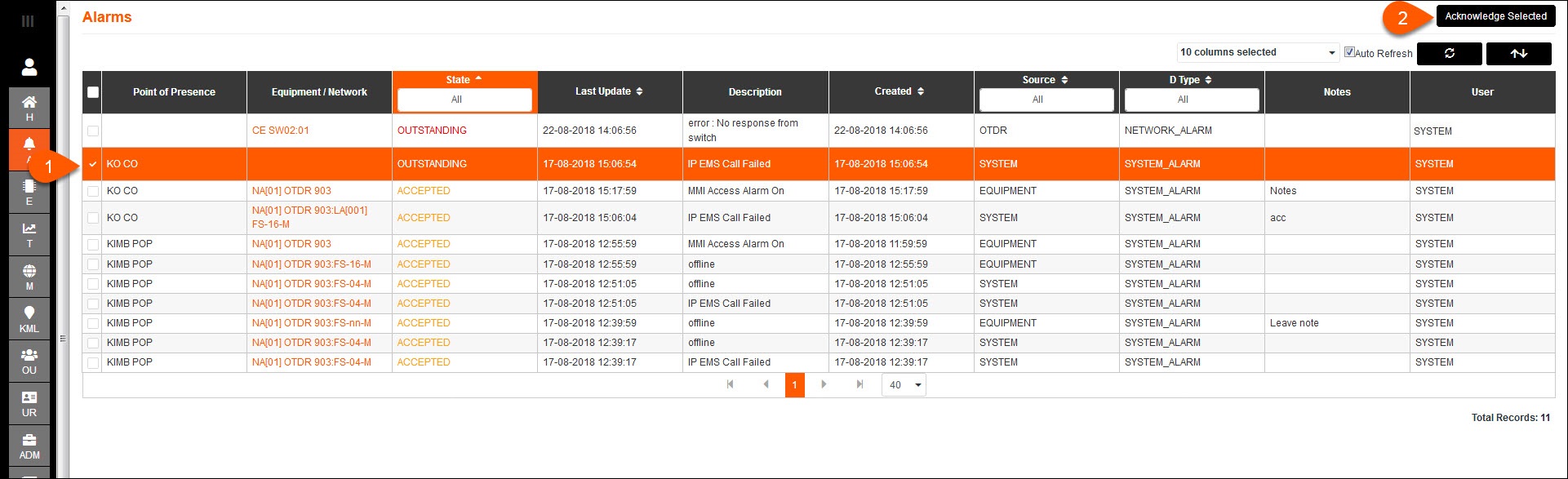
1.To accept an Outstanding alarm, changing its state to Accepted, go to the Alarms tab and select the box to the left of the alarm to be accepted.
2.Press Acknowledge Selected.
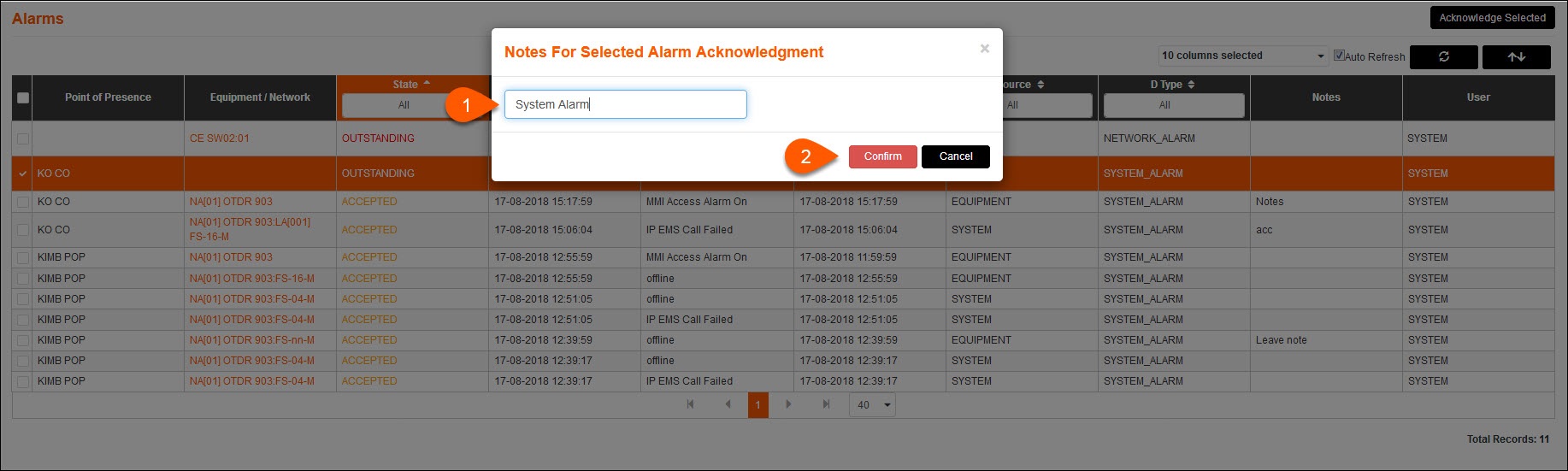
1.You will be given the option to leave a note for the selected alarm.
2.Press Confirm to accept the alarm, or press Cancel.
You can also accept an Outstanding alarm by pressing on the alarm name and opening the Alarm Details. Within the Alarm Details page explained previously, press Accept and leave a note with any relevant details.