To Edit an Accepted alarm and add more notes to it, go to the Alarms tab.
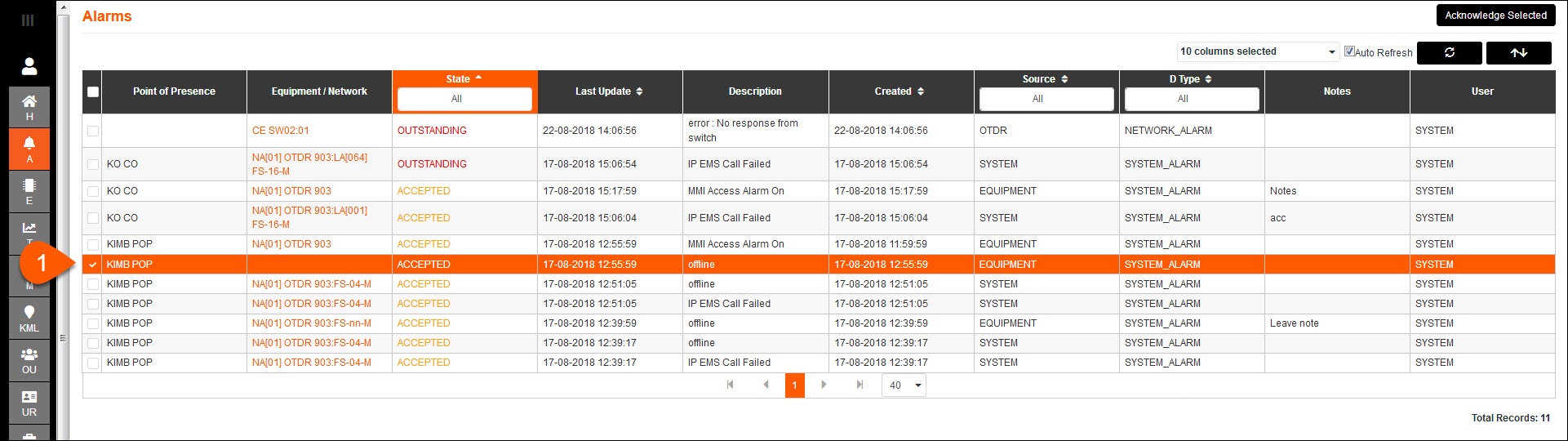
1.Select the Accepted alarm to be edited.

2.Select Edit.
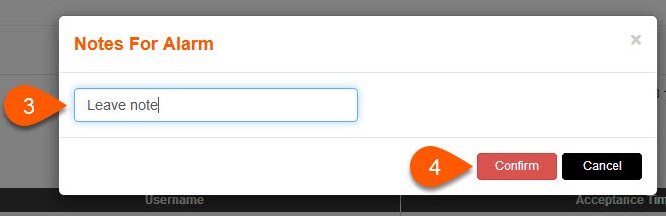
3.Provide a note as necessary.
4.Press Confirm to leave the note, or press Cancel.
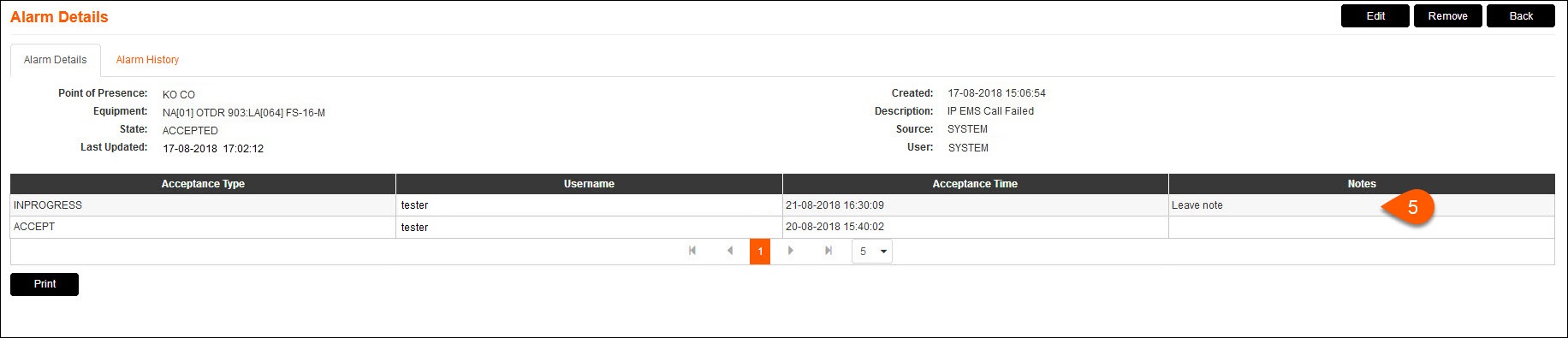
5.A new entry will be added to the table with an Acceptance Type of INPROGRESS.