|
A specific POP locations alarm list can be viewed in Element Manager. |

The alarms page for an individual POP can also be found in Element Manager. It will display the alarms page with the same format and information as the side tab, except that it will only display the alarms for that specific POP (Point of Presence) and allows you to acknowledge all the related alarms.
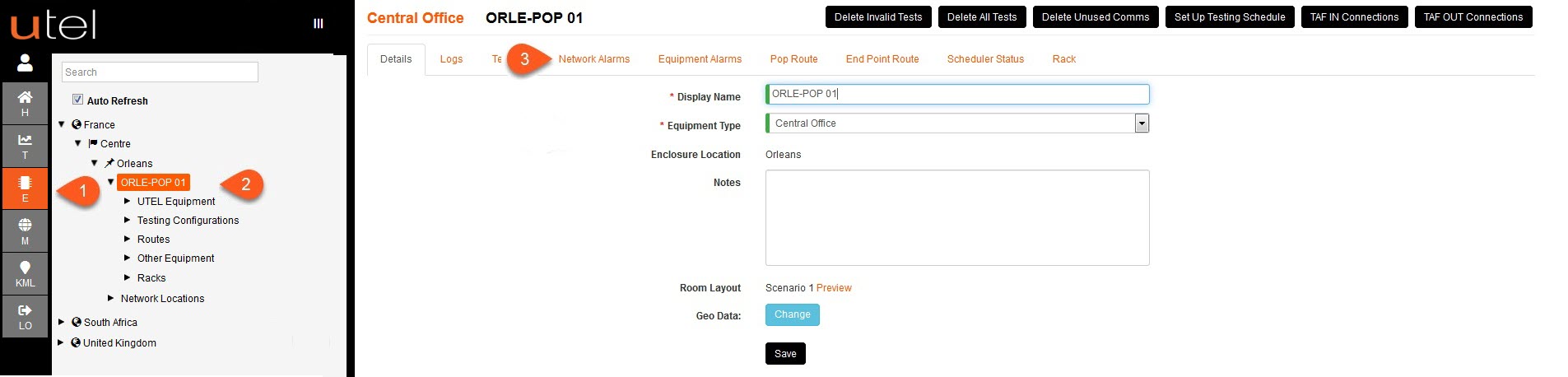
1.Select the Element Manager tab.
2.Open your POP (Point of Presence).
3.Selecting on the Network Alarms tab will bring up all relevant network alarms, and selecting the Equipment Alarms tab will bring up all relevant equipment alarms. These will appear in the same format and functionality as the alarms page.