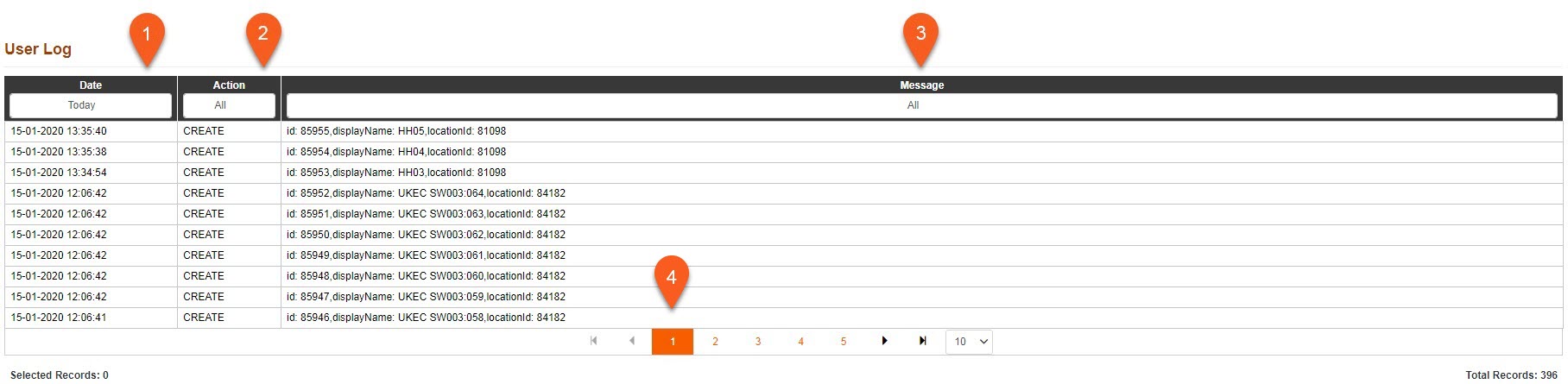
1.Date - Date and time event took place. You can use the drop down box to filter the events displayed to only show those in the Last 7 Days, Last 20 Days, All or a custom selection.
2.Action - An action will be provided with different levels of importance. You can use the drop down box to filter the events displayed based on the Action: Info, Severe, Create, Update and Delete.
3.Message - Provides you with more information on the event. You can use the drop down box to filter the events displayed based on the Message using a custom input.
4.Page Change - The amount of tests per page is shown at the bottom of the table, the amount of tests shown can be increased of decreased using the drop down box. You can switch between the pages using the arrows.