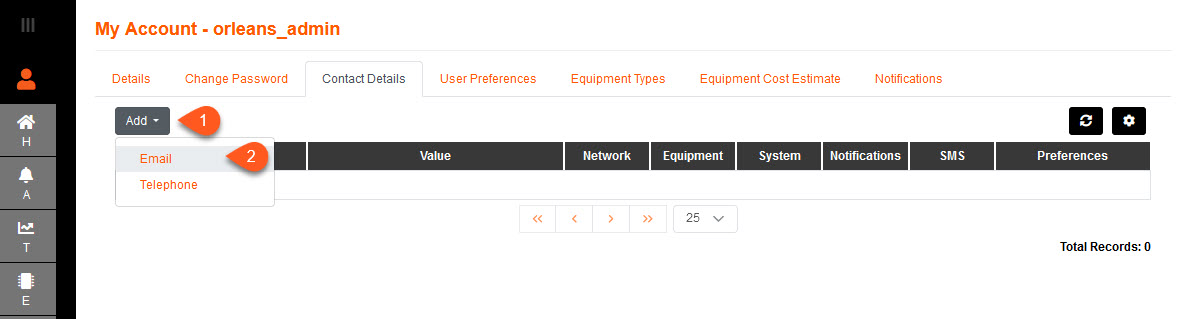
1.To add your contact details select the Add button.
2.Select whether to enter your Email or Telephone details.
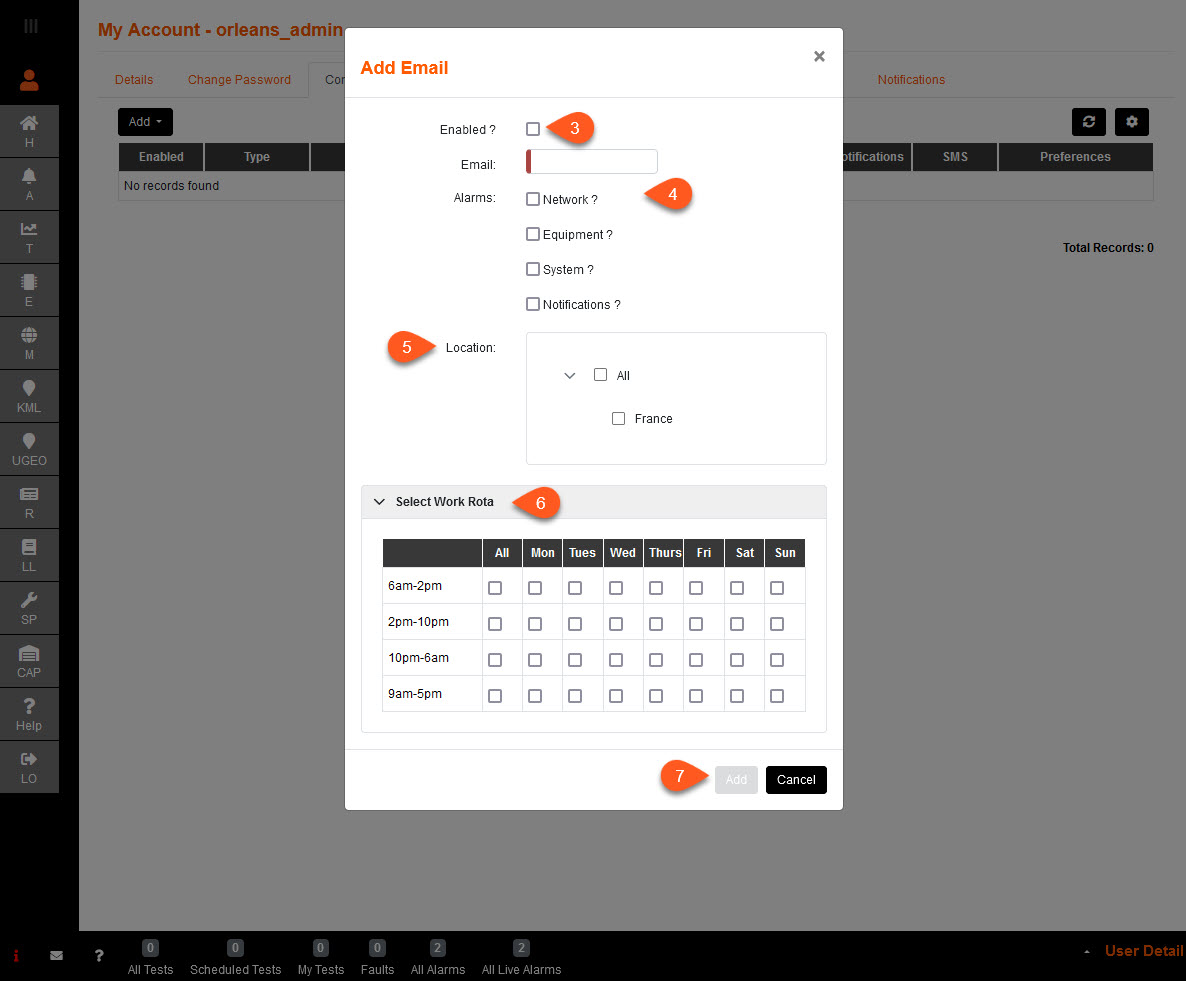
3.Enabled? ticked will allow the user to receive email notifications.
4.The email address entered under Add Email pop-up will receive all Alarms flagged from the selected Alarms via email.
5.Set Location will allow you to receive all Alarms flagged from the specified location.
6.Select Work Rota to select the times when you would like to receive the Emails.
7.Select Add to save.
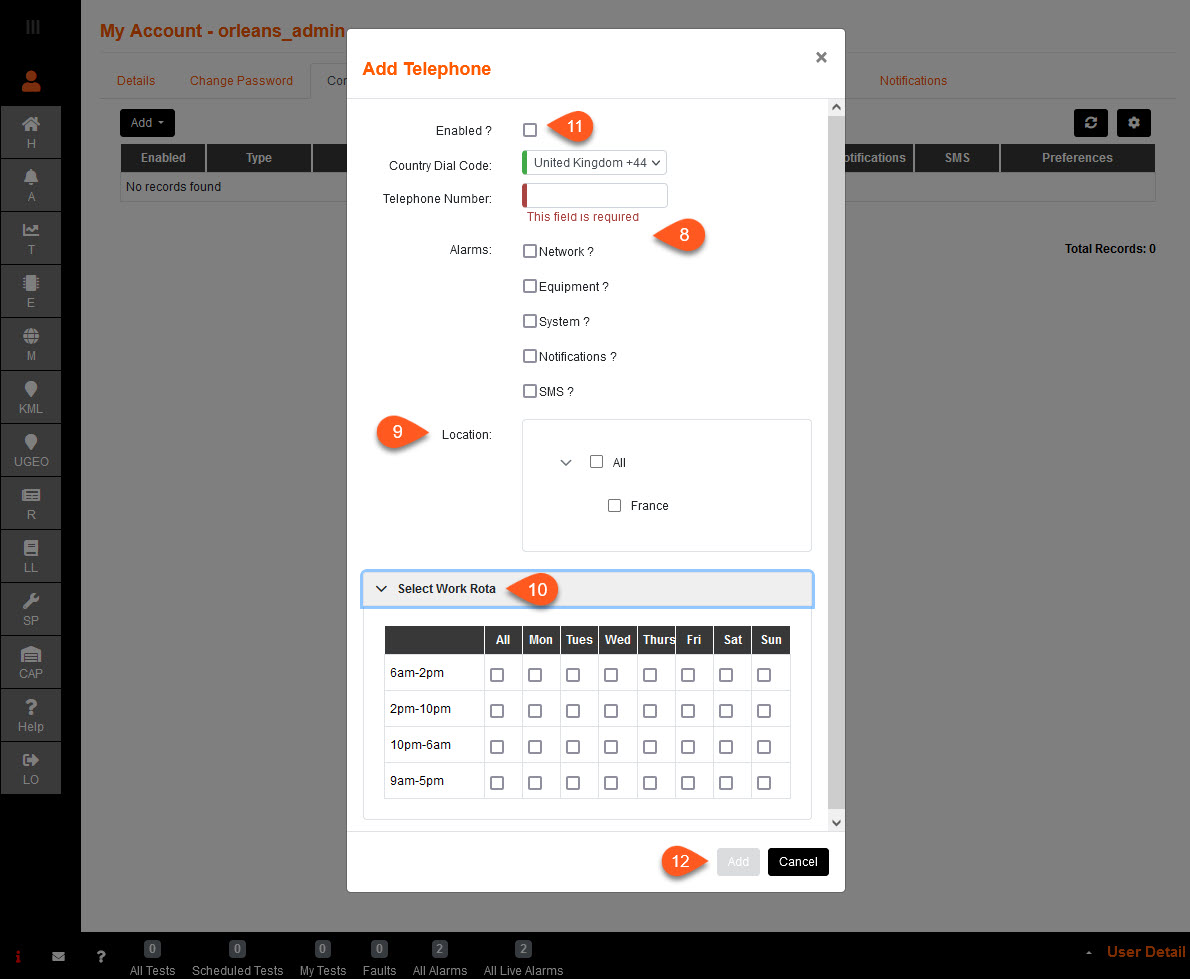
8.The mobile number entered under Add Telephone pop-up will receive all Alarms flagged from the selected Alarms via SMS/text.
9.Set Location will allow you to receive all Alarms flagged from the specified location.
10.Select Work Rota to select the times when you would like to receive the SMS/texts.
11. Make sure you tick Enabled? when you are ready to receive SMS/text notifications.
12. Select Add to save.