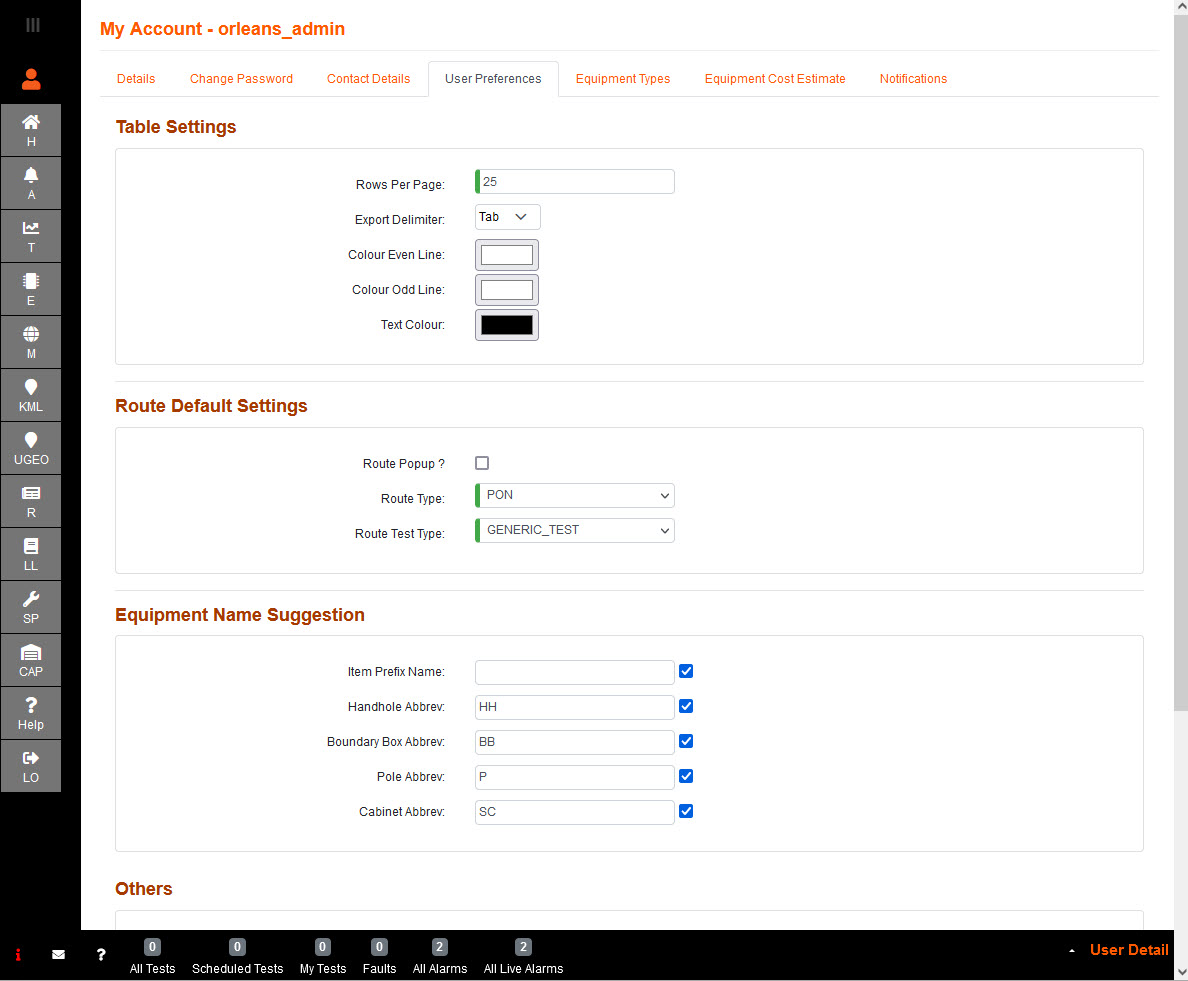
Table Settings:
Rows per page is a table row view preference.
Export Delimiter has a choice between Comma, Semi Colon and Tab.
Color odd or even line, and Text Colour, allows you to set up the table in order to ease the viewing of each item.
Route Default Settings:
Route Popup? allows the user to enter a name, rather the default switch name and the moment of saving connections.
Route Type select the default Route Type to be used when auto-creating route(s).
Route Test Type select the default Test Type to be used when auto-creating route(s).
Equipment Name Suggestion:
Item Prefix Name option to add a unique identifier to following equipment in order to easily identify a grouping.
Handhole Abbrev option to have a default abbreviated prefix as part of the item prefix name when creating handholes.
Boundary Box Abbrev option to have a default abbreviated prefix as part of the item prefix name when creating boundary boxes.
Pole Addrev option to have a default abbreviated prefix as part of the item prefix name when creating poles.
Cabinet Abbrev option to have a default abbreviated prefix as part of the item prefix name when creating cabinets.
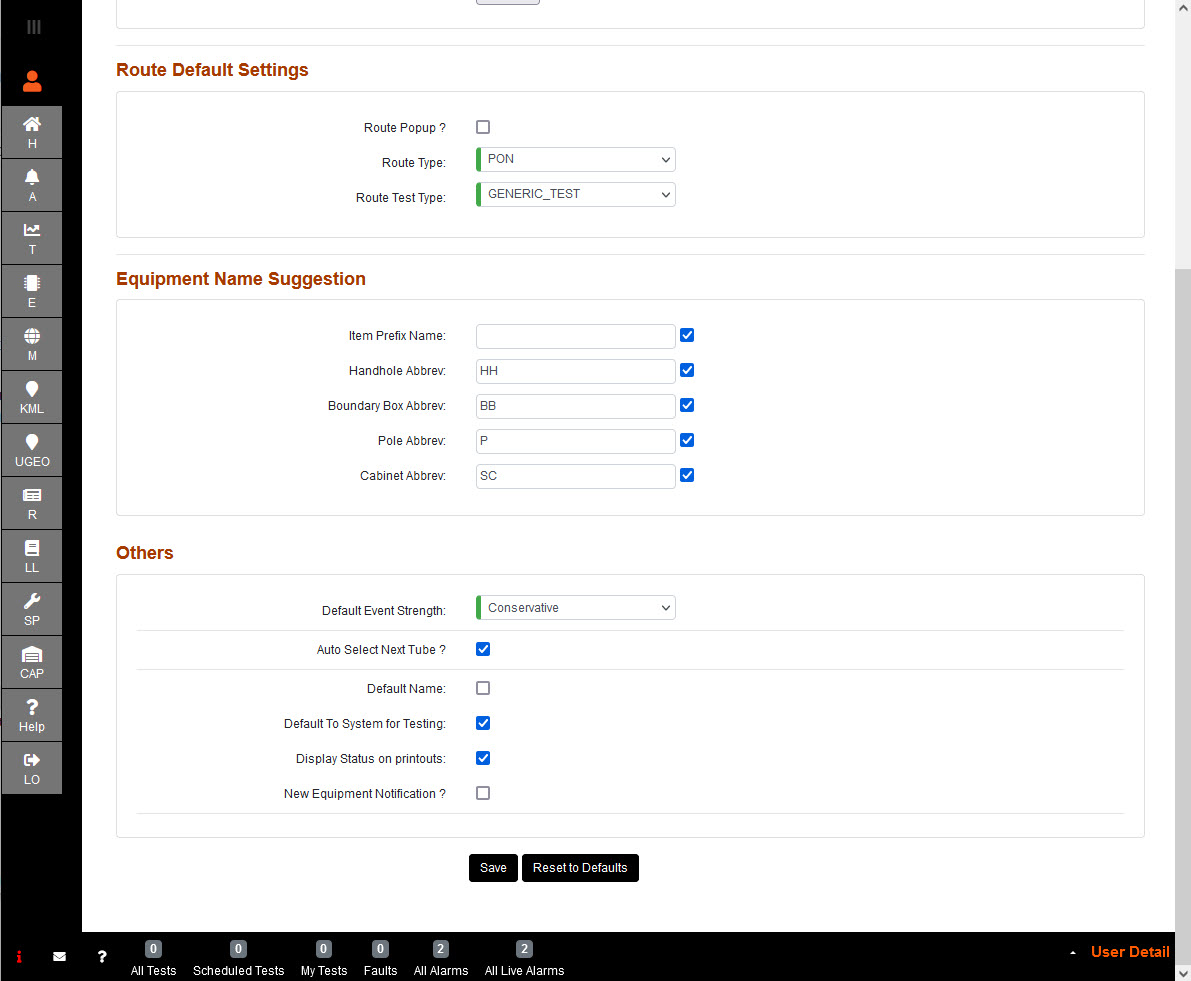
Others:
Default Event Strength Select the default filter on the events trace table.
Auto Select Next Tube? when ticked; allows an automatic selection of the first available tube in a duct when creating cables.
Default Name when ticked; allows the system to automatically fill in names for items, using Abbreviation (or Type Name) from equipment table, or start and end points for cable.
Default To System for Testing when ticked; Testing (T) will always navigate to the System node, or Country node when boundary is enabled.
Display Status on printouts when ticked; allows the Network Status, and Operational Status, of the item to be included in the table on the printouts.
New Equipment Notification? when ticked; allows the user to get a pop up when new equipment gets added via alarm receiver.
Save sets new preference and Reset to defaults sets preference back the current view.