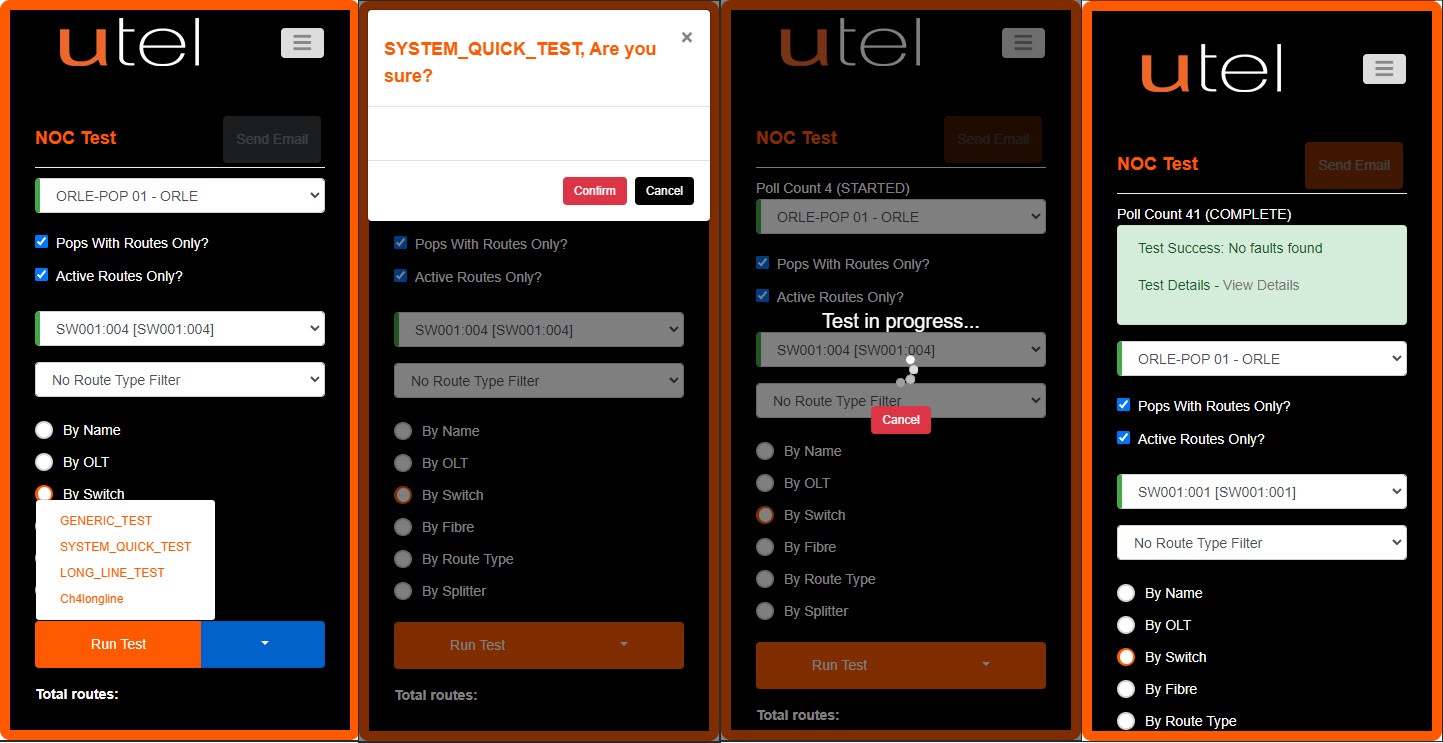
Testing has been optimized using mobiles, as they are portable and always with the user.
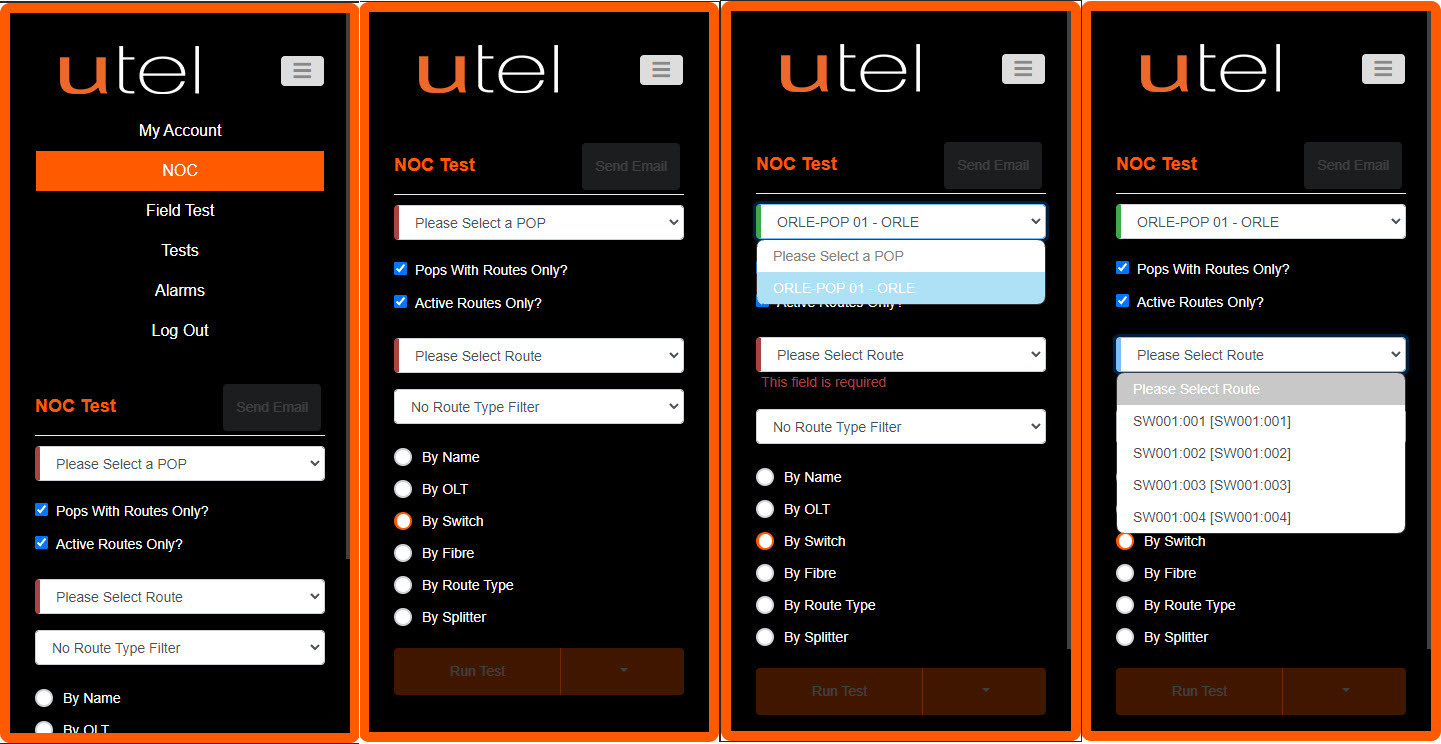
When signing in, the NOC menu might not be the default screen.
1.Navigate to the burger menu on the top right and select NOC.
2.The user will be presented with the same process as you would on the desktop/tablet:
3.Select a POP from the pop up presented of all the Point of Presence locations.
4.Select a Route using the desired filter.
5.When you have selected then Run Test, or use the drop down to select.
6.Select Confirm
7.The 'Test in progress' will stay visible the whole time the test is running.
8.You will get the result for the test displayed along the top of the screen.