System Admin, and Planner, users have access to view the Equipment Types and Equipment Cost Estimate tabs relating to planning within an Organisation, if they have access to OU.
All equipment used in the system is viewed from the Equipment Types tab.
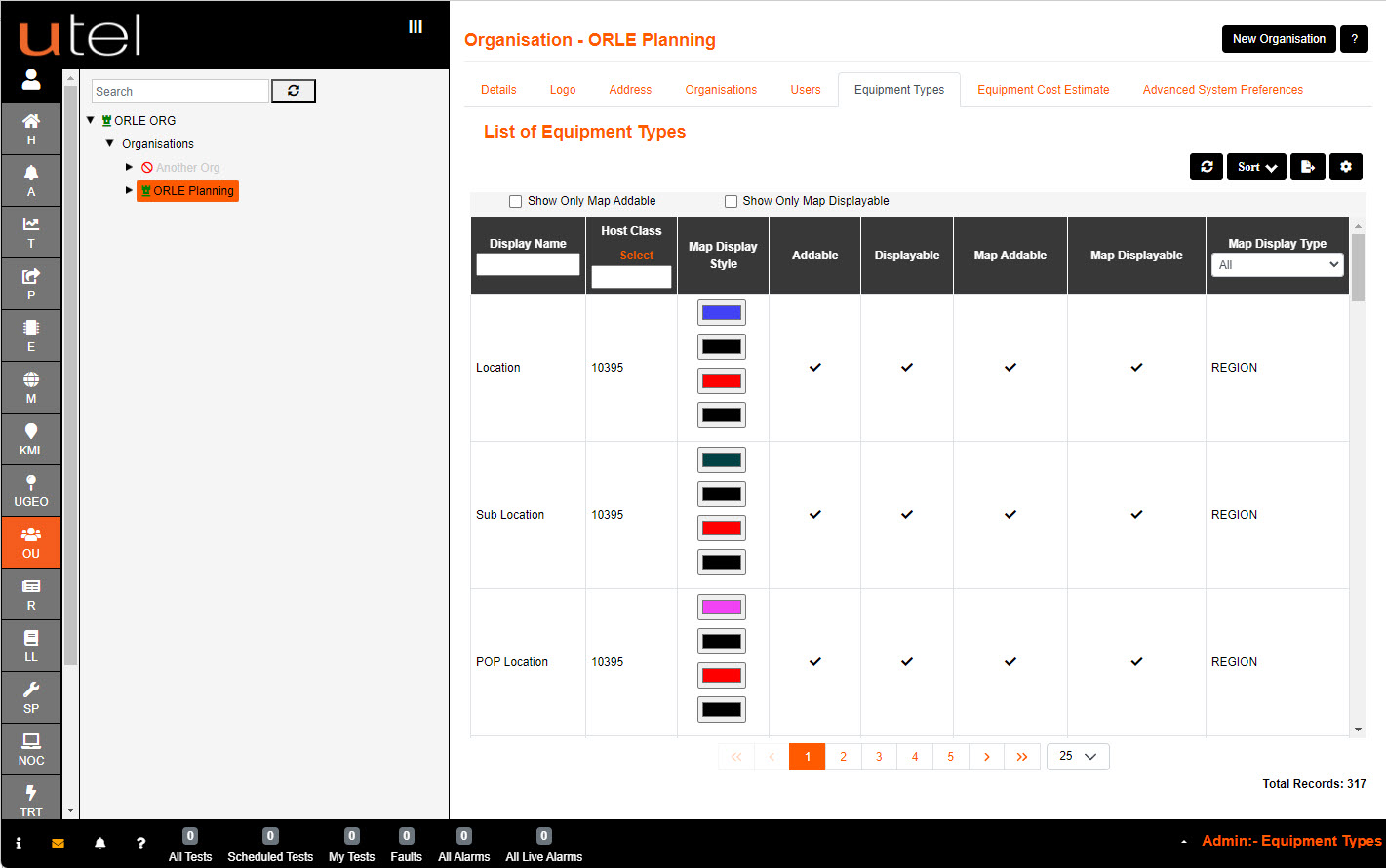
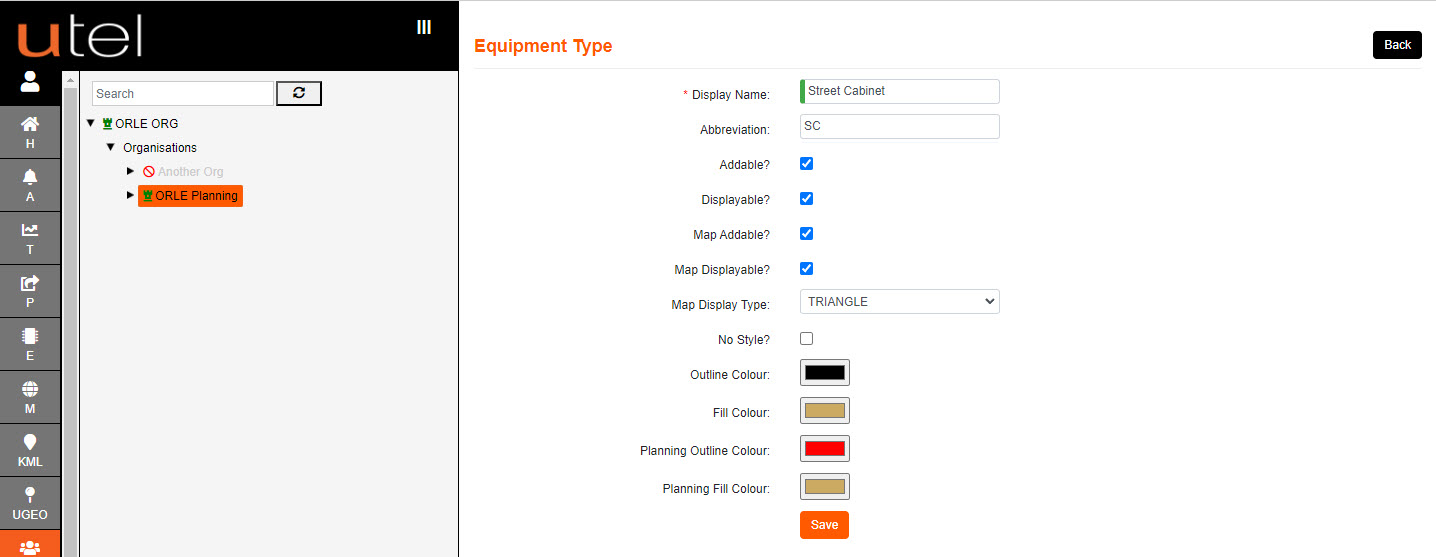
Clicking on a row will navigate the user to a form where unique colours and shapes can be specified for the item selected.
Any changes will enable the Save.
The system advises to log out, and back in, to apply any database changes.
All equipment used in the system is also viewed from the Equipment Cost Estimate tab.
Click on the Estimated Cost column to enter the desired cost for an item, then select Add.
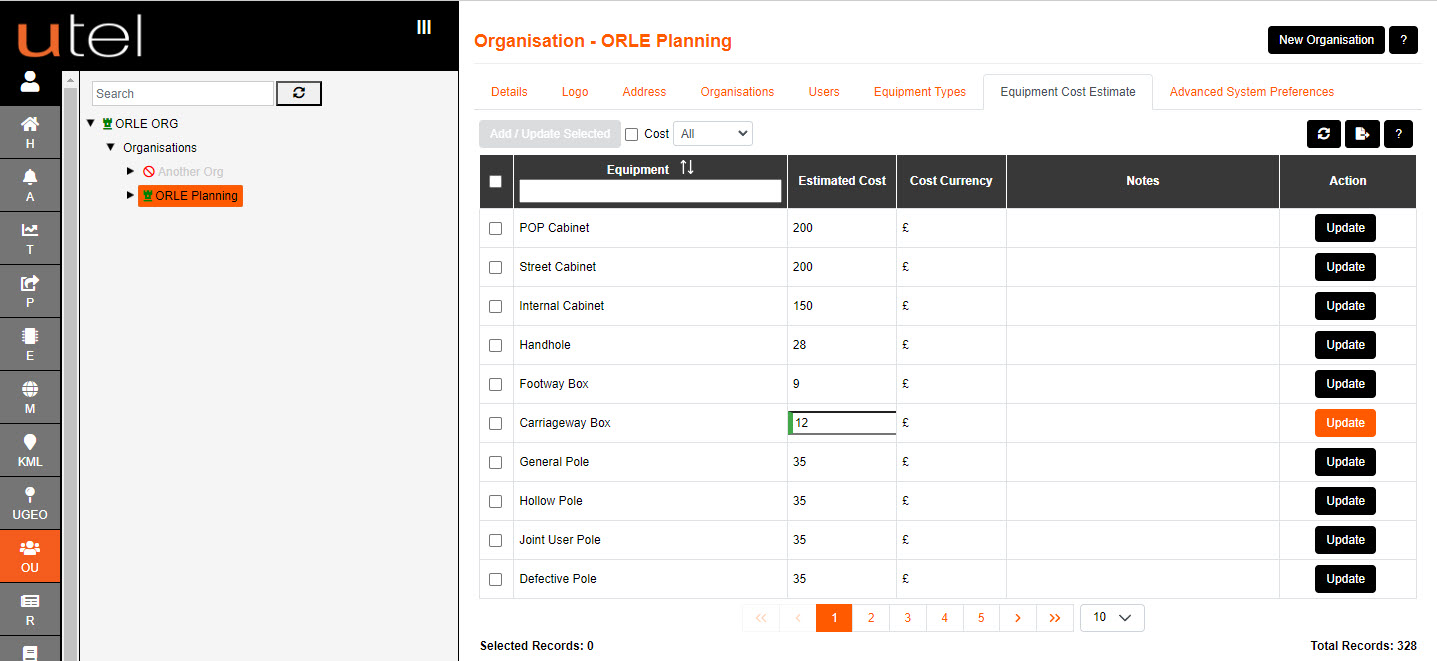
The cost can be updated anytime. Once an amount has been entered the Update button is available.
This cost figure will be fed through to the Details page of the item, and the Bill of Materials csv file.
Cost Currency can be edited in System Properties (SP); Advanced Settings.