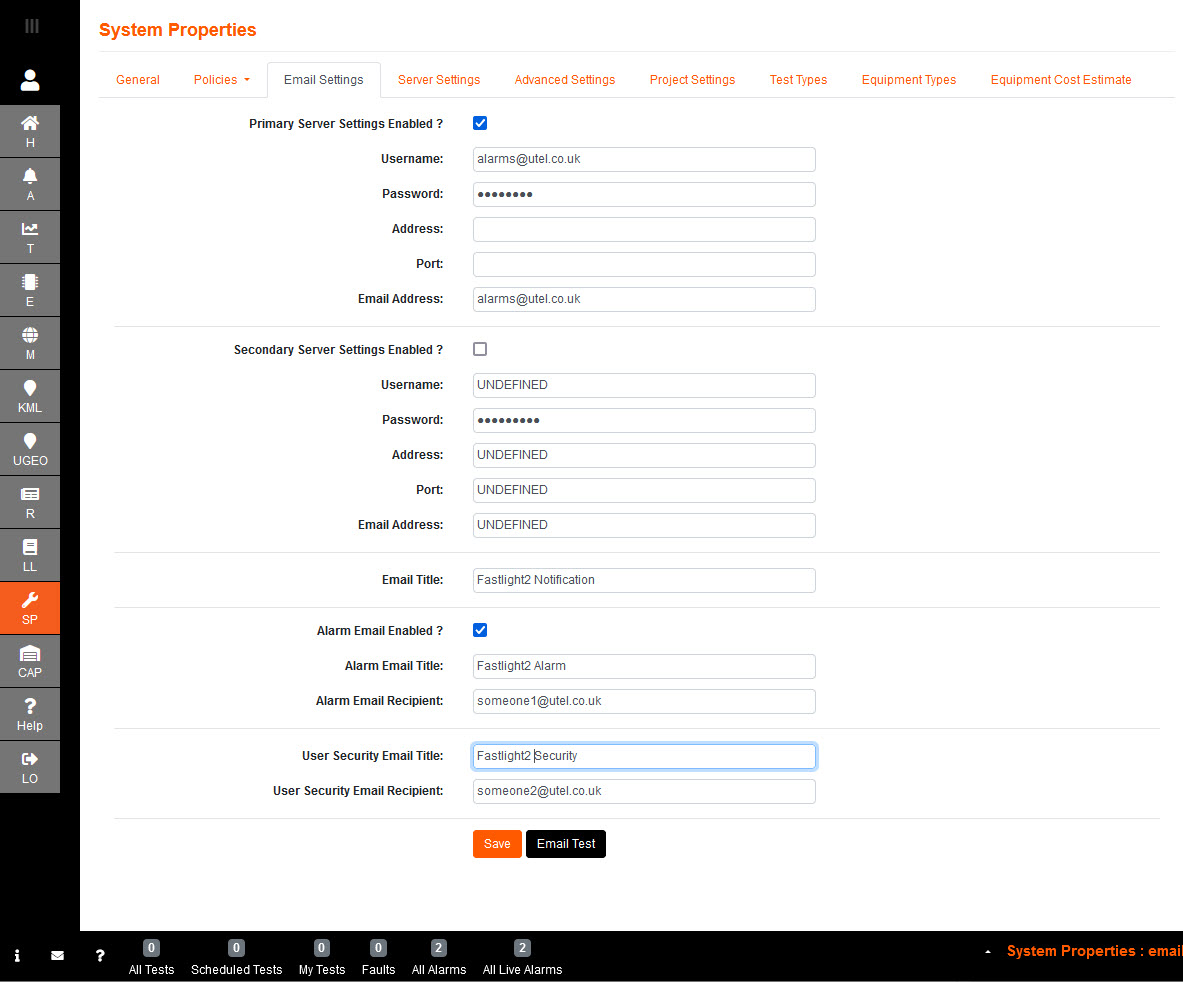
The Primary Server (SVR1) must be set up for the Simple Mail Transfer Protocol (SMTP).
The Secondary Server (SVR2) is optional as a backup.
Primary Server Settings Enabled? If ticked; the server is enabled
Username: The email account user name
Password: The email account password
Address: Outgoing mail server
Port: Outgoing SSL port
Email Address: Authenticated email address
Email Title: enter the desired title to be displayed with any emails sent out from the server
Alarm Email Enabled? when ticked; the email recipient(s) will receive emails when alarms have been raised.
Alarm Email Title: enter the desired wording for the subject of the alarm emails sent out from the server.
Alarm Email Recipient: the email address entered will receive all alarms flagged in the system.
User Security Email Title: enter the desired wording for the subject of the security emails sent out from the server.
User Security Email Recipient: the email address entered will receive all user security alarms flagged in the System.