A new User Role allows a range of different Access to be set up for the new role.
The current User Roles are preconfigured for ease, creating new ones are for special roles required - eg: demos This allows the person demoing to have a view of more items than a normal user would have to show functionality without moving between different users.
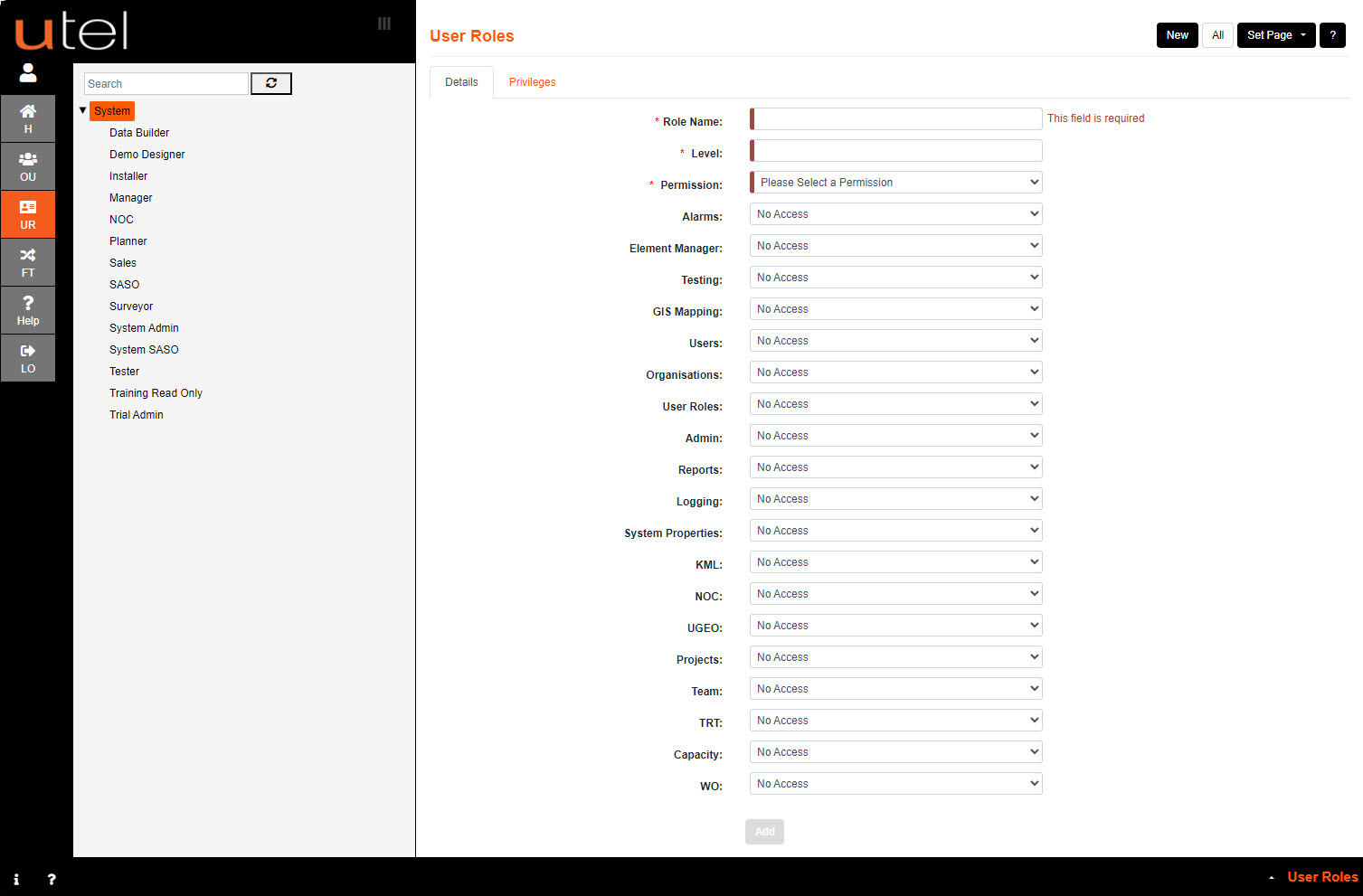
Creating a new User Role can be accessed by:
1.Select User Role tab.
2.Click on System.
3.Enter a Role Name in the space provided.
4.Select the Level of permission, from 2 upwards.
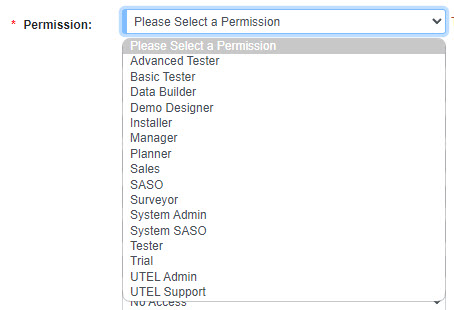
5.Select the Permission.
The Permissions are what is used in code to filter out what is allowed for that permission type.
6.You can then go through each of the pages and select the Level of User Access from the drop-down menu – No Access, Read Only or Full Access.

7.Select Add to save the new Role, or select New if the page needs to clear to start again.