Reference Tests are the model traces of the network and will be compared with future traces to detect changes.
The traces show a series of reflections and losses (including noise) which correspond to different pieces of equipment.
These key points need to be noted so that any change in future traces can be clearly compared and potential errors can be found.
Each large spike (or dB gain) is an event that is caused by a piece of equipment and needs to captured, these are necessary for finding faults.
This section will explain how to assign events to your reference trace, and how to identify faults on your network.
Select the Assign Events button at the top of the route screen.
Events are assigned one point at a time to the reference trace, each piece of equipment has its own characteristic reflection on the trace.
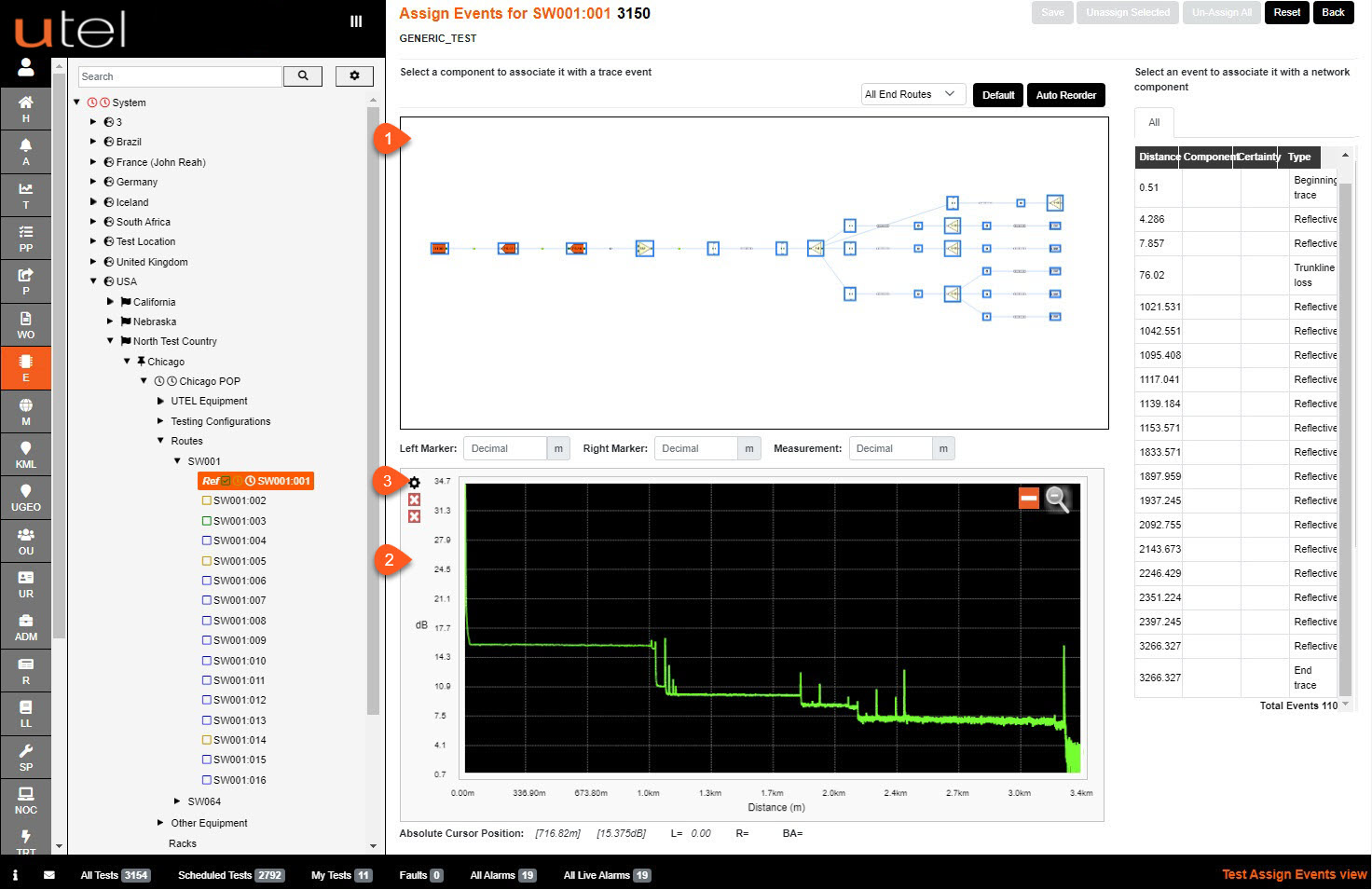
1. Planning Diagram - contains the components that have been built within the Element Manager.
To see details of the components you can hover over it for the pop up.
2. Trace Graph - This is the trace that has been returned in your test.
It displays the dB gains or losses on the y-axis, and the distance down the line each event occurs on the x-axis.
3. Advanced Trace Options are:
Cursor Mode: Horizontal, Vertical and Crosshair.
Selection Mode: Zoom and measure, Zoom only, Quick measure and Precision measure.
Left and Top Strip Width: adjusts the border width around the trace window.
Show Assignment Markers and/or Highlight Events and/or Enable Magnifier
Select the Trace Offset between the traces.