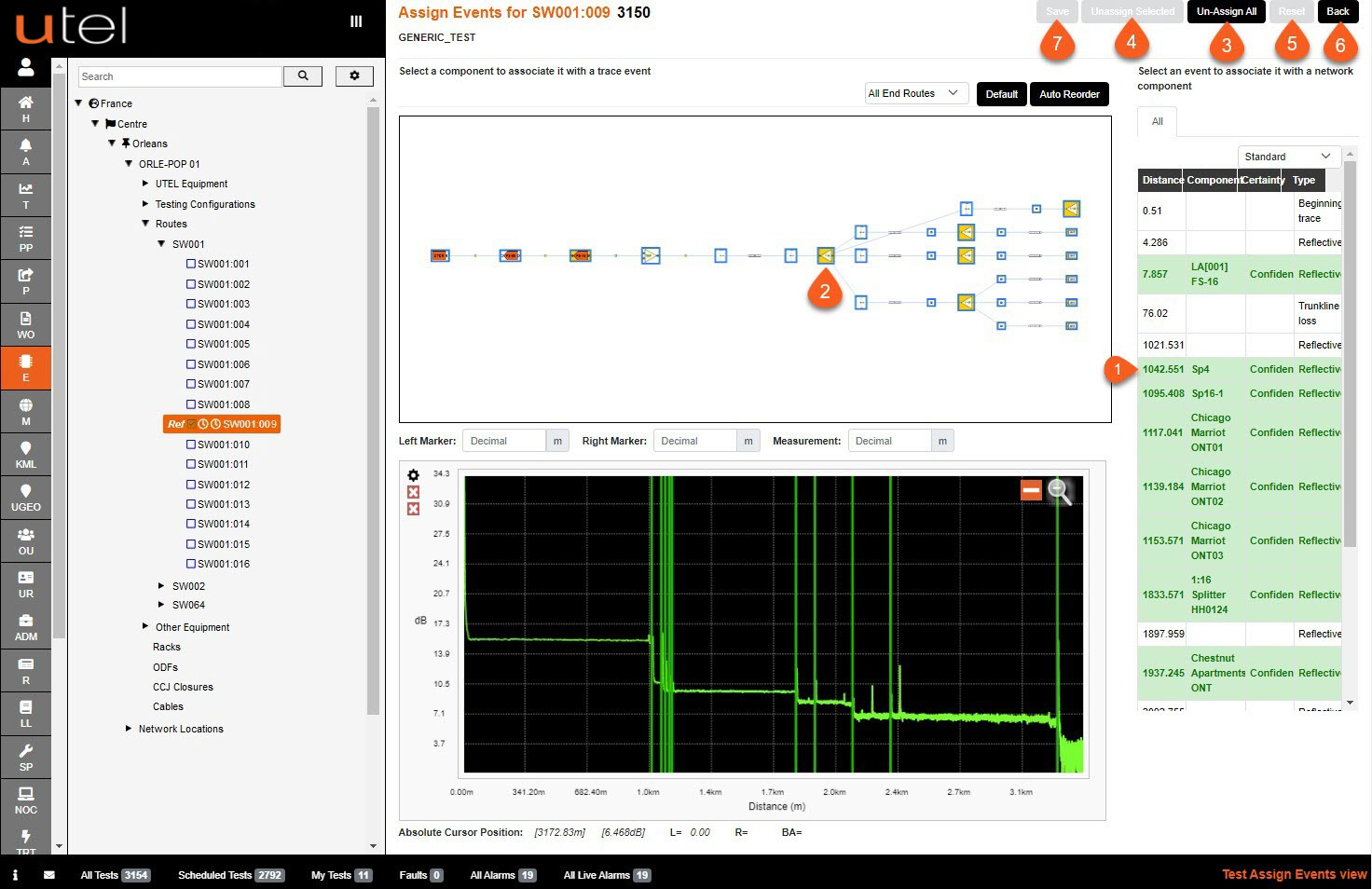
1. To assign an event, select the event in the table.
2. Select the component in the planning diagram to associate it.
3. Un-assign all will clear all components that have been assigned
4. Unassign selected will clear a specific event assigned by selecting on it.
5. Reset will revert the assigned events back to the state saved.
6. Press Back to return to the Testing screen.
7. If you wish to save your progress, press Save.