Once a reference trace has been made and events have been assigned, running a test on the same route will create a new trace.
The reference trace and the new trace will be compared on top of each other in a graph and an alert (red line) will display any changes that may be faults.
To view the results, click on the test in the Test Log.
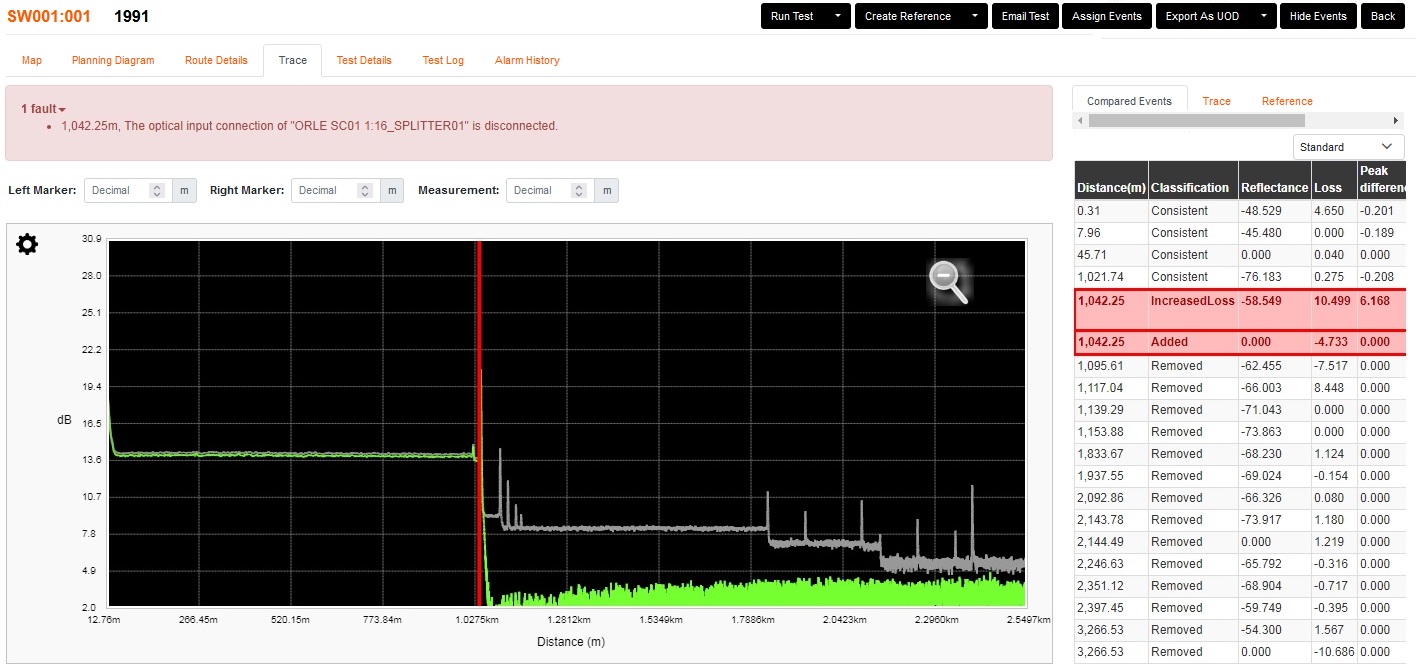
You can see that both the reference trace (grey) and new trace (green) are placed on a graph.
Where the grey overlaps the green consistently, it shows that there is very little change and likely to be no error.
The key to these tests are that the events are all in the same location with the same dB gain/loss.
If an event is missing or a new one has appeared, there is likely to be a fault in that location.
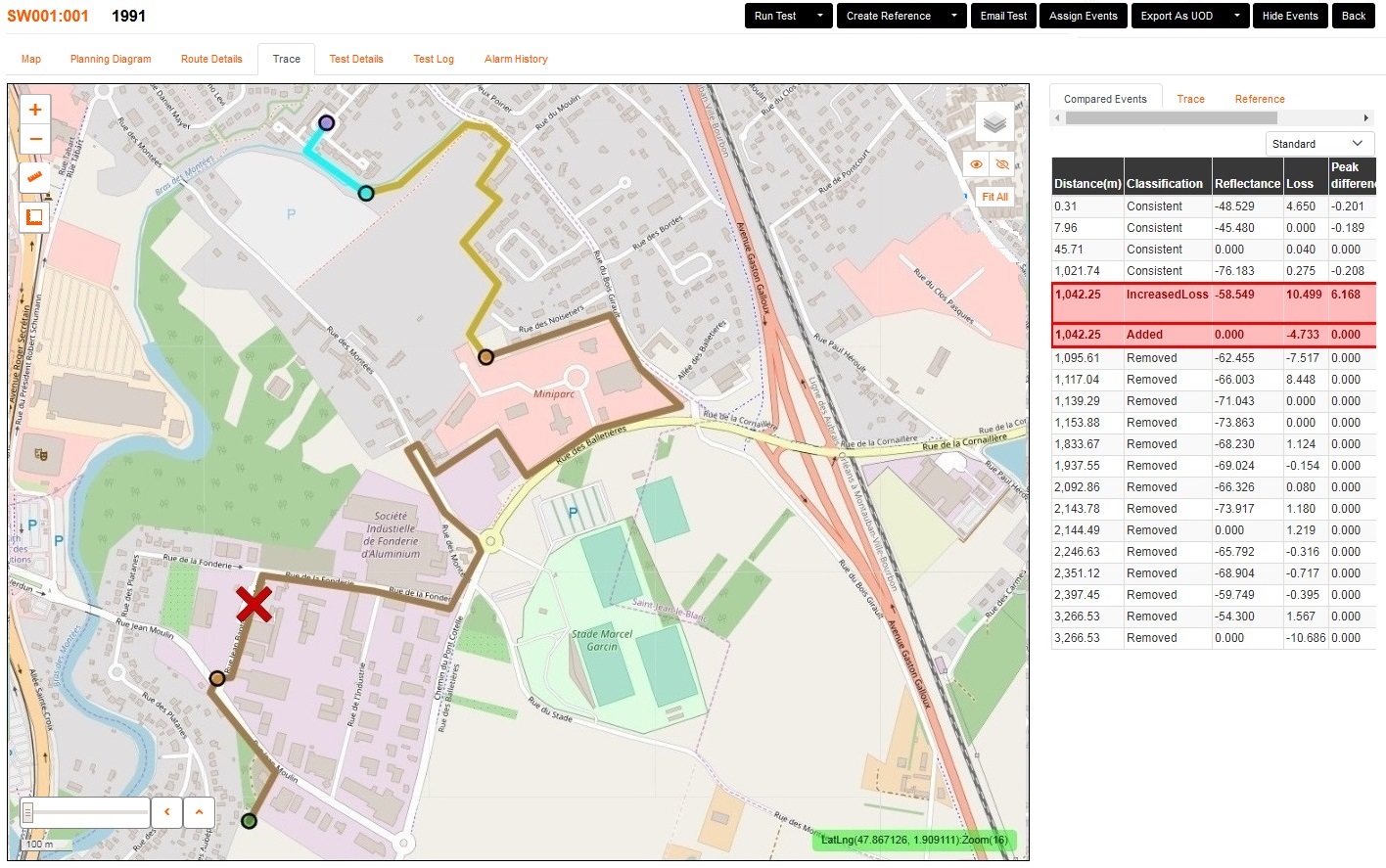
Once the fault is thought to be fixed, running another test will confirm it.
The faulty indicators will then clear after the test returns with 'Complete'
The 'Faulty' test can always be looked back on via the Test Log, if run by a user 'On Demand' and not a 'Scheduled' test.