If there is any need to delete the Routes created the most straight forward way is to delete the Test Configuration that created them
(See Element Manager Data Build Guide: To Edit or Delete a Test Configuration).
This however becomes trickier when routes have been connected, set to 'In Service', and/or tests have been run.
All routes Network Status set to anything other than 'Available', needs to be set to Decommissioned before the Delete is enabled.
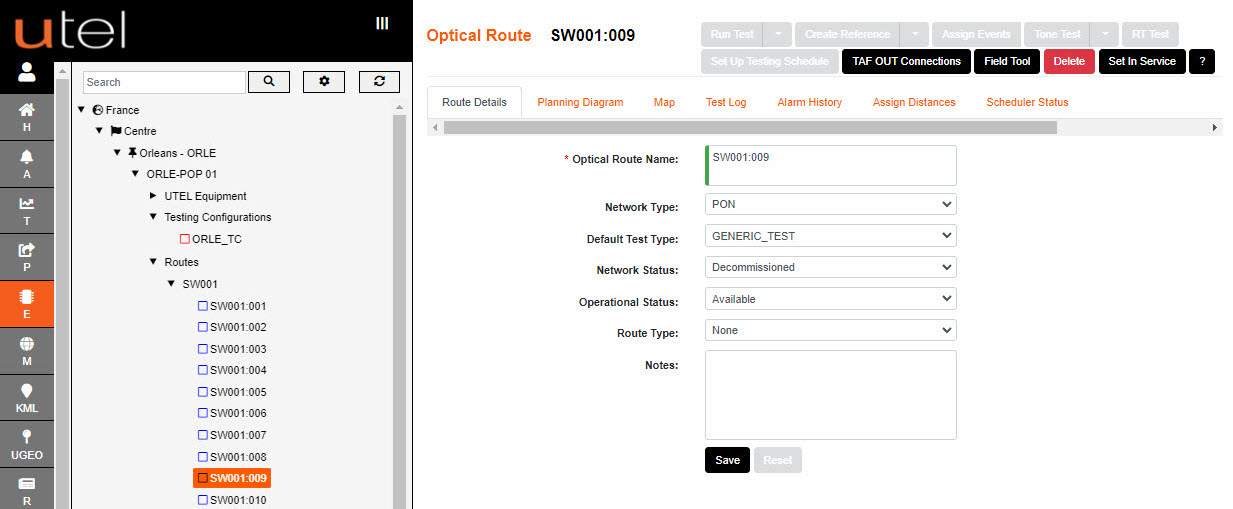
If the Delete is not available then the route is possibly connected to a cable, ie: 'Route is in use'.
Navigate to the TAF OUT Connection screen (located at the Central Office) and disconnect the Route's TAF to the cable.
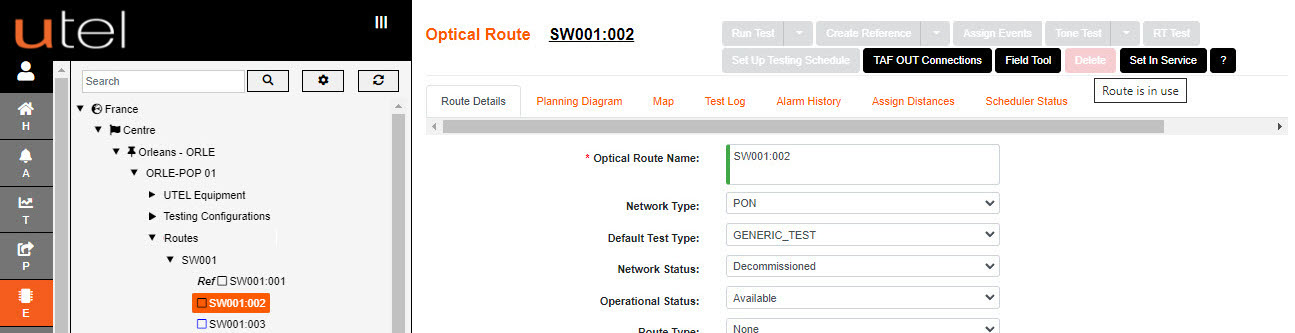
If tests have been run on the route then the tests need to be deleted before the Routes (and Test Configuration) can be deleted.
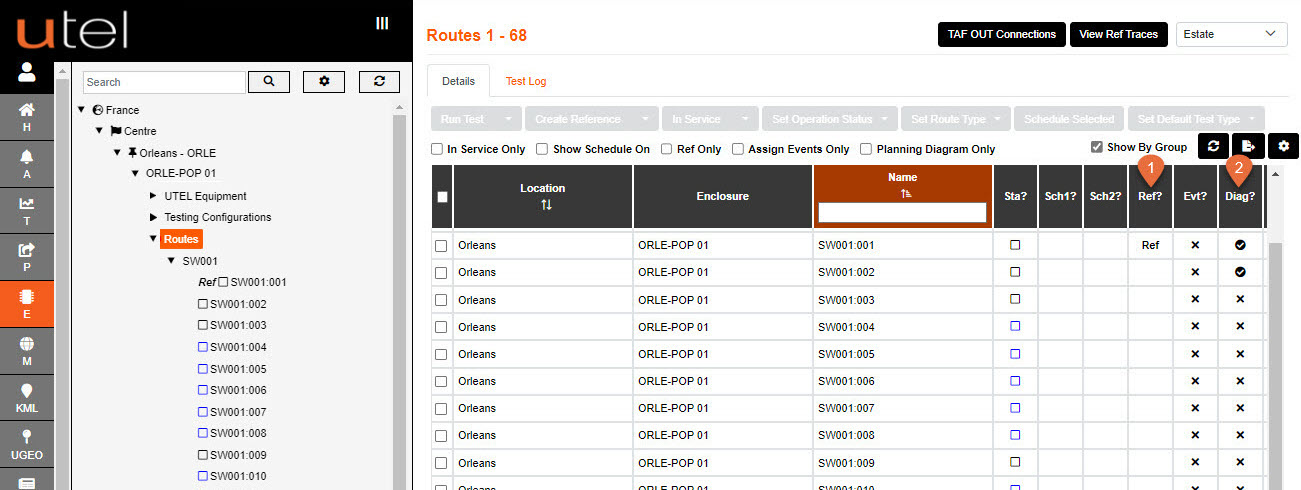
Navigate to the Routes folder to assess if Routes have had a test run (or is connected).
The columns Ref? (1) will indicate tests run, and
Diag? (2) will indicate if the route has a diagram ie: connected out from TAF.
Navigate to the routes Test Log and delete the tests from the table.
The user will then be allowed to delete route.
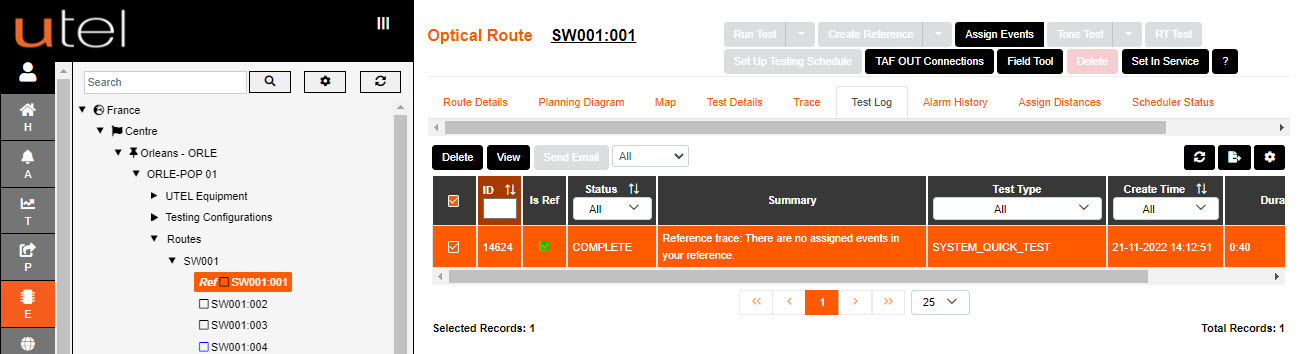
When all the routes are open for deletion; the Test Configuration can be deleted to clear them all.