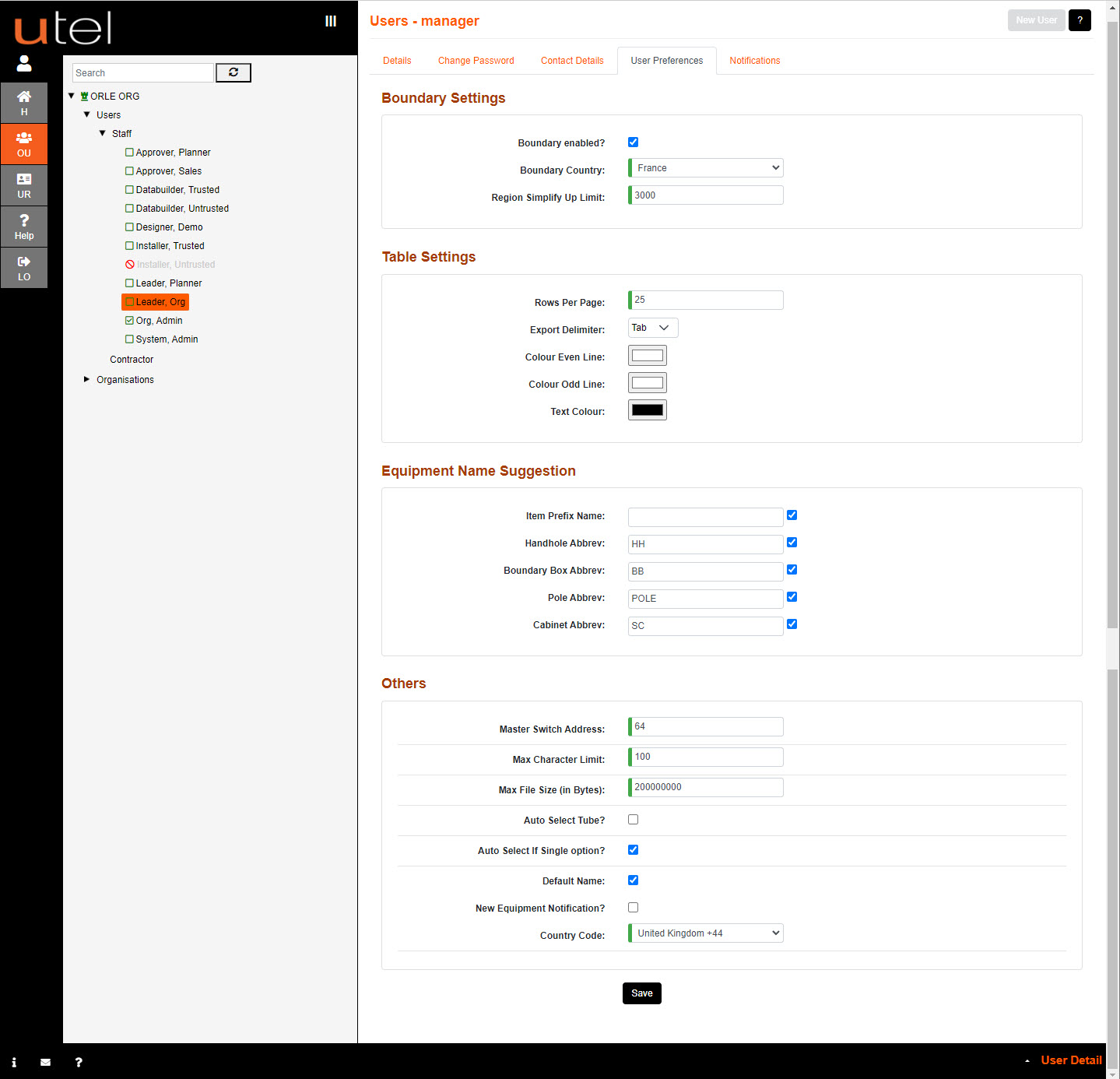
Boundary Settings:
Boundary enabled is selected so the user will only be able to view the Country selected in the Boundary Country selection.
Region Simplify Up Limit is set to 3000 points to auto simplify when loading KML files to reduce the large files imported.
Table Settings:
Rows per page is a table row view preference, the default is set to 25 rows.
Export Delimiter allows user to export in either Comma, Semi Colon or Tab format.
Color odd or even line allows user to set up the table in order to ease the viewing of each item.
Text Color is set to Black as a default.
Equipment Name Suggestion:
Item Prefix Name option to add a unique identifier to following equipment in order to easily identify a grouping.
Handhole Abbrev option to have a default abbreviated prefix as part of the item prefix name when creating handholes.
Boundary Box Abbrev option to have a default abbreviated prefix as part of the item prefix name when creating boundary boxes.
Pole Addrev option to have a default abbreviated prefix as part of the item prefix name when creating poles.
Cabinet Abbrev option to have a default abbreviated prefix as part of the item prefix name when creating cabinets.
Others:
The default Master Switch Address is set to 64.
Max Character Limit is the length allowed for naming items.
Max File Size (in Bytes) is used to set to the size limit for an uploaded file. The max allowed is 5GB.
Auto Select Tube? allows an automatic selection of the first available tube in each path when creating cables.
Auto Select If Single option? allows an automatic selection of the only choice available.
Default Name allows the system to automatically fill in names for items, using connected points and sizing to make a comprehensible name.
New Equipment Notification? allows the user to get a pop up when new equipment gets added via alarm receiver.
Country code needs to be set to the area the user will be receiving alarm notifications to.